Introducing foxguard TUI in v0.7.0
foxguard v0.7.0 adds a full interactive terminal UI for local security triage, with scan/diff/secrets modes, in-app triage actions, and source-to-sink context.
Today we are shipping a big workflow upgrade in foxguard v0.7.0:
foxguard tui
The goal is simple: keep the speed of local scanning, but make triage feel like a product instead of raw terminal output.
Why we built this
Local security only works when developers can move from:
- finding appears
- risk is understandable
- fix path is obvious
- decision is quick
Fast scans get you the first step.
A good triage UX gets you the rest.
What is new in v0.7.0
New interactive command
The interactive mode is now first-class:
npx foxguard tui .And supports focused modes too:
npx foxguard tui --diff main .
npx foxguard tui --secrets .
We renamed the public command surface from ui to tui to keep ui available for future web experiences.
Launch screen
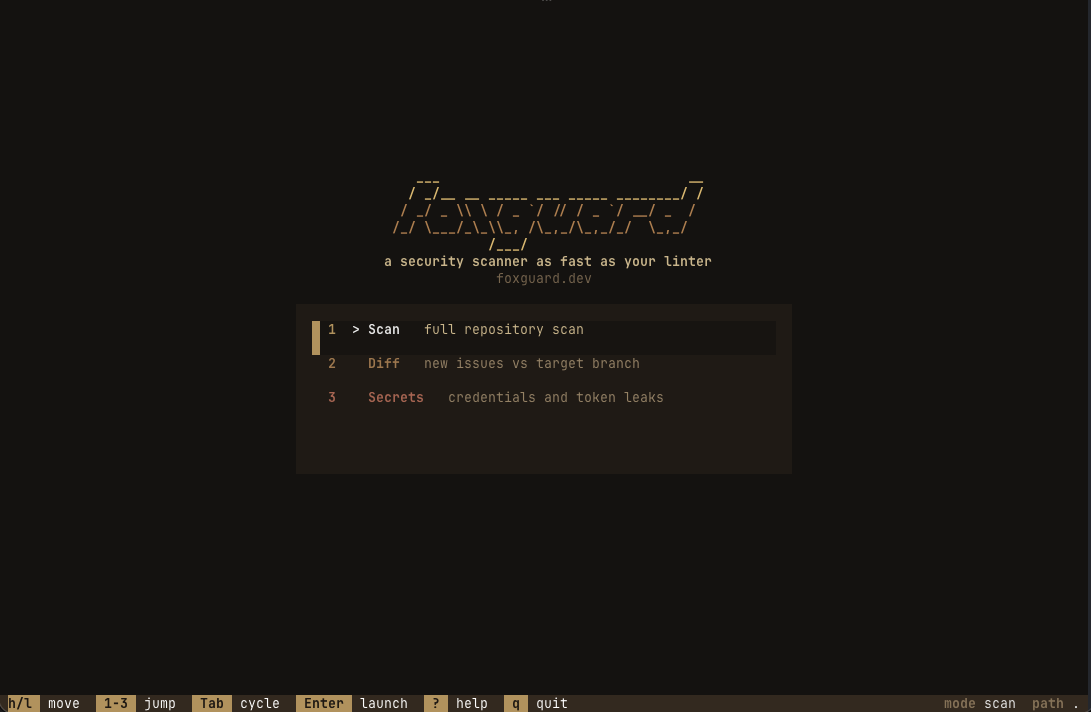
The TUI now opens into a dedicated launch picker with three modes:
- Scan
- Diff
- Secrets
Scans do not start automatically. You choose mode first, then launch.
Better detail view and open-target workflow
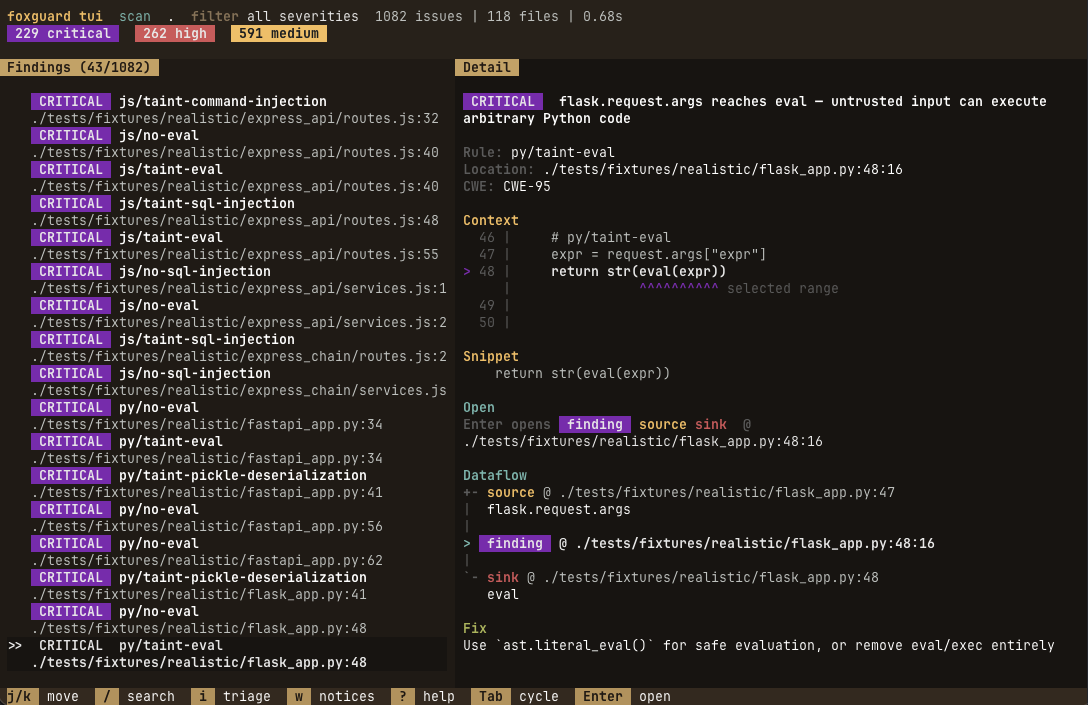
Inside findings, the detail pane now shows:
- richer source context
- clearer snippet section
- explicit
Opentarget controls (finding/source/sink) - dataflow path rendering when trace data exists
Tab cycles open targets, and Enter opens the currently selected target in your editor.
Even when no source/sink trace exists, the open target remains visible so the Enter behavior is clear.
Triage actions directly in the TUI
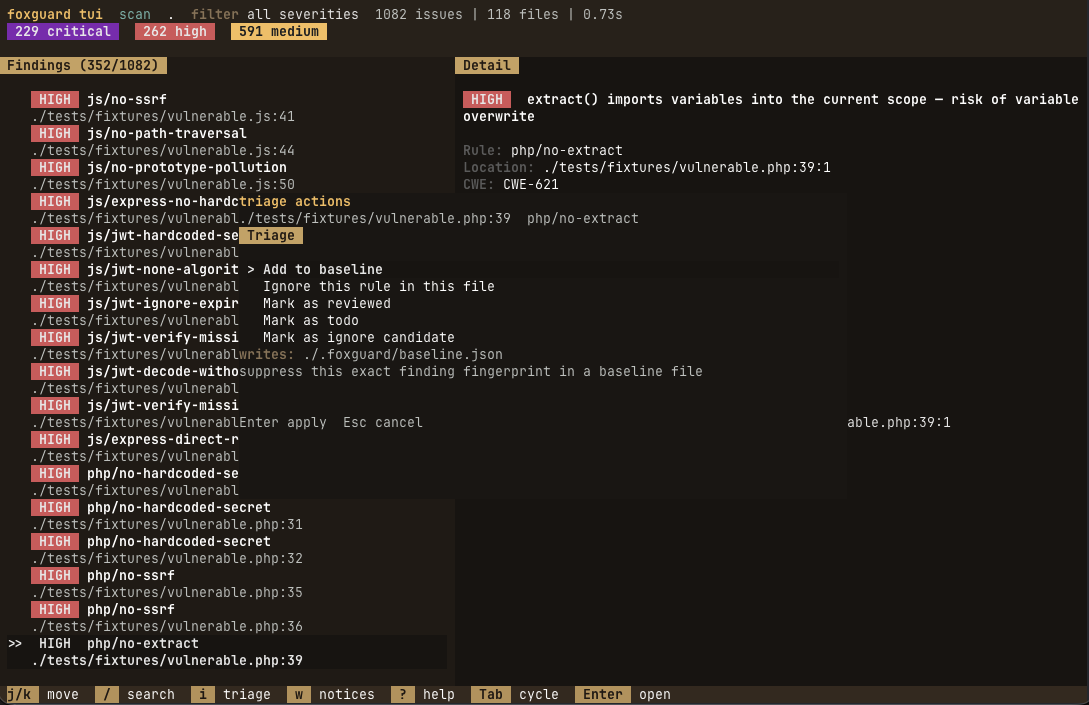
Press i on a finding to open triage actions.
Actions include:
- mark reviewed / todo / ignore candidate
- clear review state
- add to baseline
- ignore rules in config (scan and secrets flows)
The action menu includes a preview of what will be written before you apply it.
Diff and secrets workflows feel native
Diff mode and secrets mode now share the same UX language as scan mode:
- same launch flow
- same loading states
- same footer and key-hint system
- same in-app triage patterns
UX improvements that shipped along the way
We made a long series of improvements while building this release:
- findings list readability improvements
- cleaner detail panel hierarchy
- better severity and review state badges
- removal of redundant dataflow toggles
- shared status/footer components across screens
- more deliberate color and spacing for selected states
The result is less “terminal clutter” and a tighter triage loop.
Upgrade notes
- interactive command: use
tui - old
uinaming is no longer the primary surface - existing non-interactive scan commands are unchanged
Try it
npx foxguard@latest tui .If you already use local scans in CI hooks/editor tasks, this release is meant to make the “what now?” step dramatically faster.
foxguard is an open-source security scanner written in Rust. Built for local-first workflows: fast scans, focused findings, and practical triage. Try it.